Set up payment processor
This guide aims to assist you in setting up Stripe as the payment processor for Apple Pay on your MetaFox platform. Stripe offers a robust payment processing solution that integrates seamlessly with Apple Pay, providing a streamlined transaction experience for your users.
Benefits of Stripe Payment Processor
- Secure payment processing with industry-standard security features.
Prerequisites
Before proceeding, you will also need to create an active Stripe Account. You will need to create and verify an active Stripe account to enable payment processing.
Set up Stripe account
Once you have an active Stripe account, you will need to:
- Enable Apple Pay for Stripe if you intend to use Stripe with Apple Pay

- Enable Google Pay for Stripe if you intend to use Stripe with Google Pay

- Get the Public Key and Secret Key
- Save these keys to configure payment processor on MetaFox site later.
- Add a webhook with as below:
- Use the Endpoint URL https://yourdomain.com/api/v1/payment-processor/callback/stripe . You need to replace the yourdomain.com with the actual domain of your MetaFox site.
- Enable following Stripe events: Payment Intent, Customer, Invoice.
- Retrieve your webhook’s secret from Stripe Dashboard’s - Webhooks settings, select webhook, and obtain the secret to configure on the MetaFox site later.
Now, you have done setup your Stripe account. Let’s configure payment processor to integrate with your Stripe account
Configure Stripe payment processor on MetaFox
Log into AdminCP and go to App Settings > Payment. Then edit the Apple Pay.

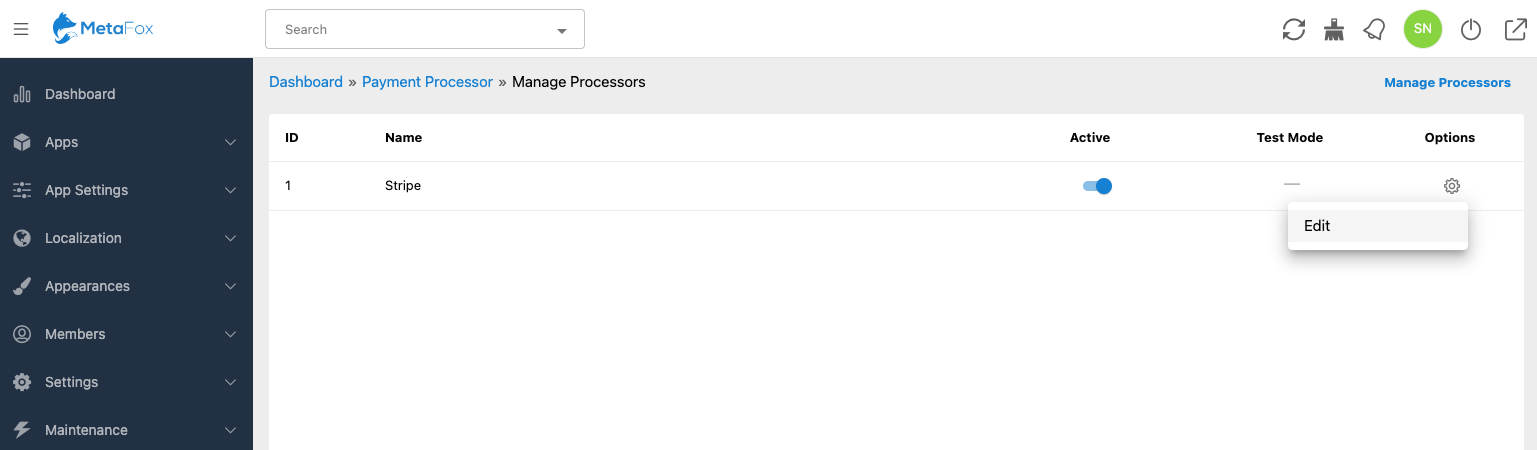
In the Edit popup, you can click on the Click here to setup Payment Processor link to go to the Manage Processors page. This page will list all supported payment processors on MetaFox.
Click on the Edit option of the Stripe item as below
Fill in all settings of Public Key, Secret Key and Webhook Secret that you got in the previous step. Make sure that the Active checkbox is checked also.
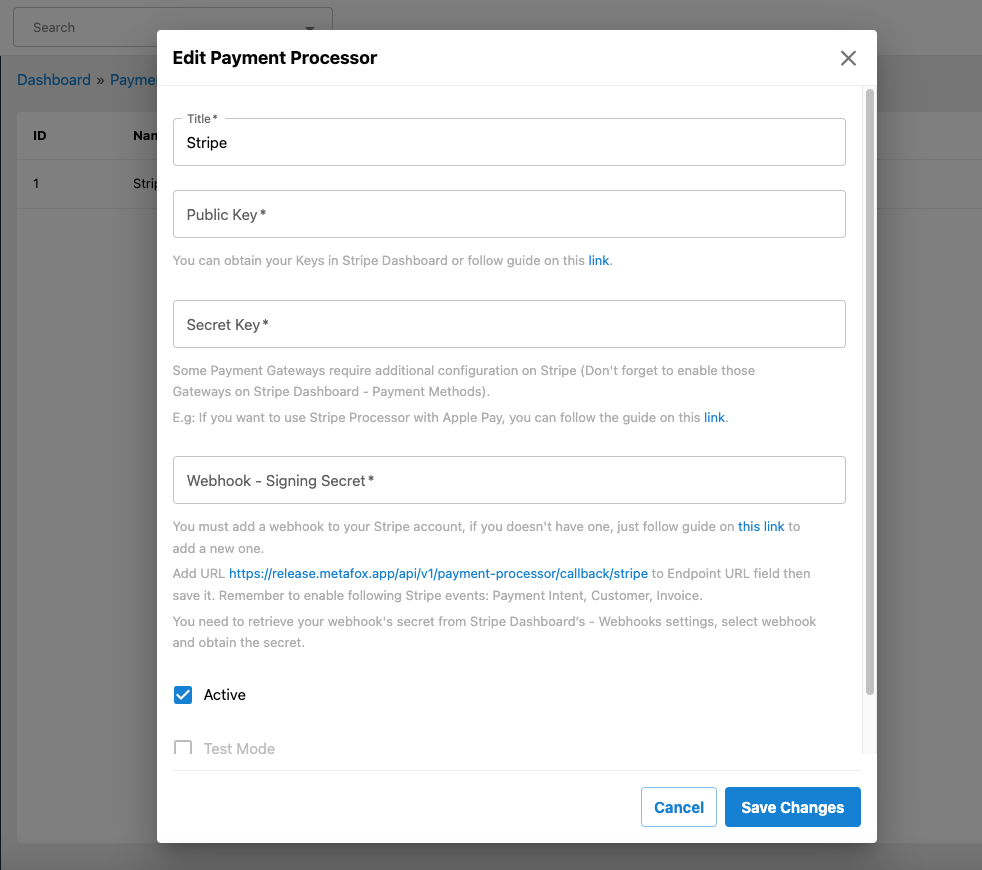
Then, save changes.
Congratulation! You have completed the setup of the payment processor for Stripe.