Create a new language
In this article, we will guide to to create new language on MetaFox site. By default, MetaFox supports only English language pack. You can add many other languages to your site and translate phrases with following steps:
Log into AdminCP of your MetaFox site. Then, go to Localization > Languagues
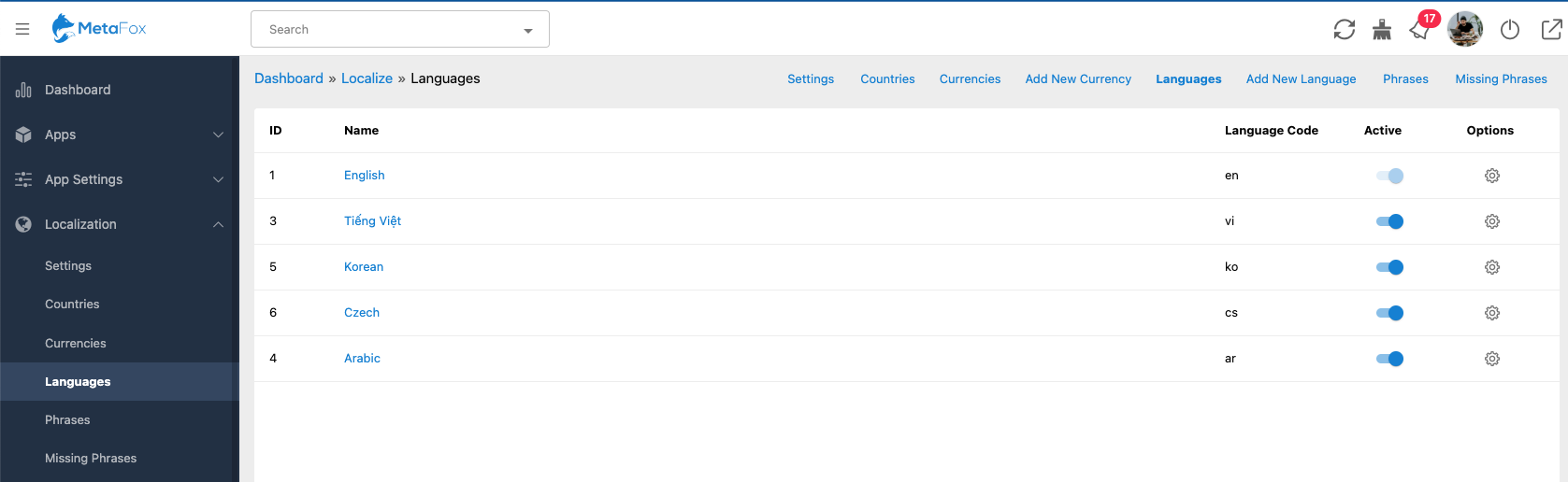
Click to Create New Language link on the top menu bar

On the Create New Language form, fill the info as below:
- Language Name: Name of language will display to users
- Language Code: This is a two-letter language code, refers to https://en.wikipedia.org/wiki/List_of_ISO_639-1_codes.
- Vendor: fill any name you want. The vendor name should be unique if you would like to publish your language packs on Appstore for sale in future
- Root language: choose the language to copy its phrases to this new language
Once all details are filled, you can click the Create button to create a new language.
Congratulation, you just created a new language successfully.
Now, you can start translating phrases of the new language in 2 ways:
- and translate them. Then, into that language.
- one by one in the AdminCP