Set up policy terms and other static pages
This tutorial will show you how to find and edit the Term of Use & Privacy well as create a new static page
*Find and edit the Term of Use & Privacy:
This assumes you are already logged in as the Admin user and are logged into the AdminCP.

From the **Admin Dashboard>Appearances>**Choose Pages
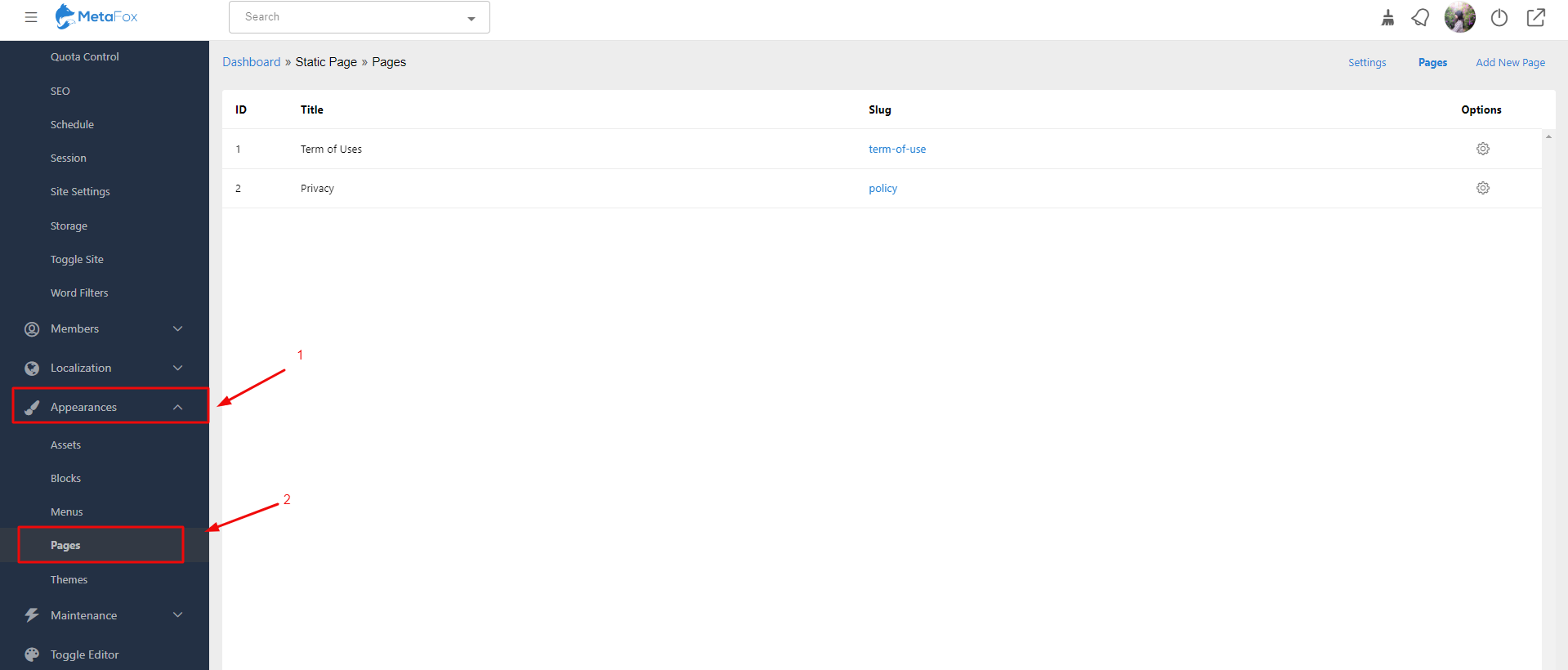
It will redirect you to the current Static Page items: Term of Uses & Privacy
On the right side, you can see the field **Options>**Click on the gear to Edit the content for Term of Uses & Privacy or delete them

*Create a new static page:
Back to the Dashboard of the Static Page>Pages>Choose Add New Page

Then, Fill in Slug, Tittle & Content for the new page. After that, hit the button Create to complete.

Tip: It’s always a good idea to clear your site’s cache after adding anything.